A 2 pin circuit board connector provides a simple way to connect a PCB to a cable, power source, sensor, switch, or another electronic assembly. With only two electrical contacts, it is often used for DC power input, battery connections, LED modules, small motors, and basic signal circuits. Its compact structure makes wiring and maintenance easier than a permanent soldered cable connection.
However, having only two contacts does not make every connector suitable for the same application. A 2 pin circuit board connector designed for a low-current sensor may not safely support a motor or battery charging circuit. Similarly, a connector that fits the available board space may be unsuitable if its locking mechanism cannot withstand vibration or repeated handling.
Selecting a 2 pin circuit board connector therefore starts with the purpose of the connection. Engineers need to know whether it carries power or signals, whether the cable must be removable, how much space is available, and what mechanical forces the interface will experience. These requirements determine the connector structure, contact spacing, mounting method, and electrical rating.
Common Types and Where They Fit
2 pin circuit board connector differ in how wires attach, how the connector mounts to the PCB, and how the mating parts stay together. The right configuration depends on the product enclosure, assembly process, and expected maintenance.
Wire-to-board connectors
A wire-to-board connector links a cable directly to the PCB through a matching plug and board-mounted header. This arrangement is useful for battery leads, sensors, fans, lighting modules, and internal wiring harnesses.
Many compact wire-to-board connectors use a keyed housing or locking feature to reduce the risk of incorrect insertion and accidental disconnection. When selecting a 2 pin circuit board connector for a cable assembly, confirm that the plug and header belong to a compatible series. Similar-looking housings may have different pitch dimensions, contact arrangements, or locking geometries.
Pin headers and sockets
A two-pin header typically consists of two exposed metal pins held in an insulating body. It can mate with a socket, jumper, or compatible cable assembly. Headers are often used for low-current power connections, configuration links, debugging, and simple signal interfaces.
Straight and right-angle versions provide different cable or mating directions. Through-hole headers can offer useful mechanical anchoring, while surface-mount versions may support compact automated assembly. The appropriate choice depends on the expected insertion force, available board space, and mechanical support.
Screw and spring terminal blocks
Terminal blocks allow wires to be connected directly to the PCB. Screw terminals clamp the conductor using a screw mechanism, while spring terminals use a spring contact to retain the wire.
These options can be useful for industrial control boards, power distribution, lighting controllers, and equipment that requires field wiring. A 2 pin circuit board connector in terminal-block form may simplify installation because the wire can be connected without a separate mating cable plug. Engineers must still verify the permitted wire size, conductor preparation requirements, current rating, and insulation clearances.
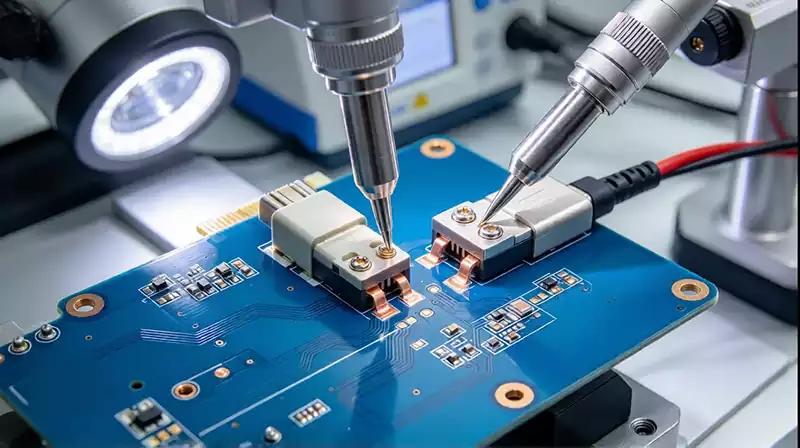
How to Choose the Right Pitch and Electrical Rating
Pitch is the center-to-center distance between adjacent contacts. Common two-pin connector families include pitches such as 1.25 mm, 2.0 mm, 2.54 mm, 3.5 mm, 3.81 mm, 5.0 mm, and 5.08 mm. These values are examples, not a universal standard for every connector category.
Smaller pitches can reduce the footprint of a compact product, but they may leave less room for wire handling and insulation. Larger pitches can make wiring and installation easier, particularly where terminals need to accommodate thicker conductors. Pitch alone, however, does not determine the connector’s current or voltage capability.
For every 2 pin circuit board connector, verify the following electrical parameters against the exact part number:
Current rating: Confirm the continuous current per contact under the manufacturer’s specified test conditions. Consider ambient temperature, the number of loaded contacts, and any required derating.
Voltage rating: Check the rated voltage and the insulation requirements for the intended circuit. Higher voltages may require greater clearance and creepage distances.
Contact resistance: Low, stable contact resistance helps limit voltage drop and heating, particularly in power connections.
Wire compatibility: Confirm the permitted wire gauge and conductor type for the selected connector.
Temperature range: Make sure the connector housing and contacts can withstand operating conditions and the applicable soldering process.
The PCB itself must also support the electrical load. A connector with an adequate current rating can still be used in an unreliable design if the copper traces are too narrow, the pads are poorly designed, or the solder joints experience excessive heating. The connector and its PCB connection should be evaluated as one electrical path.
PCB Mounting and Assembly Considerations
The mounting method affects both manufacturing efficiency and the mechanical reliability of a two-pin connection. Through-hole connectors use leads that pass through plated holes and are soldered to the board. This structure can provide stronger mechanical anchoring when the connector is exposed to cable pulling or repeated mating.
Surface-mount connectors attach to pads on the PCB surface. They can save space and work well with automated pick-and-place and reflow processes, provided the connector is designed for the selected assembly method. If the connector will experience substantial insertion or cable loads, the PCB layout may need additional anchoring features or mechanical support.
Footprint accuracy is essential. Pad dimensions, hole spacing, component orientation, and housing clearance must match the manufacturer’s recommended land pattern. An incorrect footprint can cause poor solder joints, misalignment, or interference with the enclosure. The matching plug also needs enough space for insertion, release, and cable routing.
For a 2 pin circuit board connector used in power applications, polarity protection deserves special attention. A keyed housing, clearly marked positive and negative terminals, and consistent cable assembly instructions can help prevent reverse connections. If the product may be wired in the field, the design should not rely solely on wire color to indicate polarity.
Preventing Connection Failures
Connector problems often develop at the contact interface or at the point where the connector attaches to the PCB. Loose mating parts can create intermittent connections, while poor soldering can introduce resistance or mechanical weakness. Repeated cable movement may also stress the solder joints and copper pads.
A reliable 2 pin circuit board connector design should account for the way the finished product is handled. Where vibration or cable movement is expected, consider a positive locking mechanism, appropriate strain relief, and sufficient mechanical support. For equipment exposed to moisture or dust, evaluate whether the connector and enclosure provide the required environmental protection. A standard unsealed connector should not be assumed suitable for a wet or contaminated environment.
Assembly controls matter as well. During PCB production, inspect connector alignment, solder coverage, and possible bridging between adjacent contacts. Verify that the selected connector is compatible with the assembly process, especially if it uses a plastic housing that may be sensitive to reflow temperatures.
Testing should include electrical continuity and checks for unintended shorts. For power connections, test the assembly under a representative load and monitor excessive heating or voltage drop when appropriate. If the connector is expected to be unplugged repeatedly, mating-cycle requirements should also be considered during component selection and qualification.
Choosing a Connector for the Finished Product
The best connector is the one that matches the product’s electrical, mechanical, and manufacturing requirements together. A compact wire-to-board connector may suit an internal battery or sensor cable, a pin header may work for a low-current service interface, and a terminal block may be more convenient for equipment that needs direct field wiring.
Before finalizing a 2 pin circuit board connector, confirm the pitch, mating part, contact ratings, mounting footprint, wire range, locking method, operating environment, and assembly compatibility. Check the manufacturer’s drawings and datasheet rather than selecting a part based on appearance alone.